CT Rise Network: Design System for an EdTech SaaS Platform
Designed a scalable, accessible design system for a data-heavy SaaS platform used by educators across Connecticut school districts to track and support low-income students on their path to college.
No Design Team, No Shared Vision
CT Rise Network is a US-based EdTech platform used by teachers, principals, and mentors across dozens of Connecticut school districts. Its mission is direct: help low-income students from communities of colour reach college by tracking their performance across key metrics and enabling educators to take targeted corrective action before it's too late.
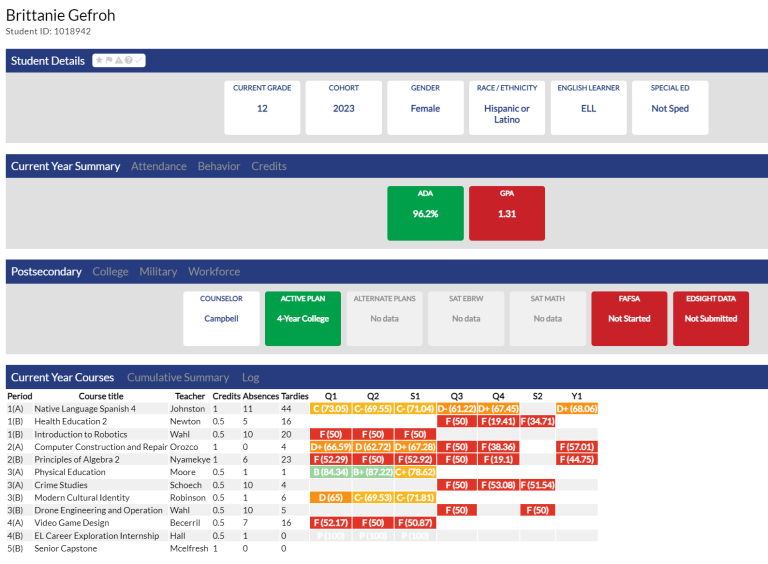
The platform had no design team. Developers made design decisions independently, with no shared component library, no documented standards, and no common visual language. Over time this created a fractured experience: inconsistent UI patterns across modules, poor accessibility, and an interface that asked too much of users who needed information fast.
What this meant in practice
For educators, the inconsistency created cognitive friction in a context where clarity was critical. A teacher logging in between classes to check on a struggling student shouldn't have to relearn navigation patterns depending on which part of the platform they landed in. For developers, the absence of a shared system meant every new feature started from scratch, slowing delivery and compounding the inconsistency with each release.
"Every time we build something new, we're making it up as we go. There's no reference point."
"I just want to log in, see which students need attention, and act. Right now it takes too long to find anything."
The challenge: Design a system that could impose consistency and accessibility standards on a complex, data-heavy platform: without disrupting an active development team shipping new features throughout the engagement.
Research & Discovery
I ran a mixed-methods research programme covering both the educator experience and the developer workflow: treating the development team as users of the design system, not just implementers of it.
Interviews (8 participants)
I interviewed all 3 developers and 5 teachers. With developers, I wanted to understand how design decisions were currently being made, where inconsistencies were introduced, and what a design system would need to do to actually slot into their workflow. With teachers, I focused on the jobs they were trying to get done: what they needed to see when they logged in, how they used the data to make decisions, and where the current interface let them down.
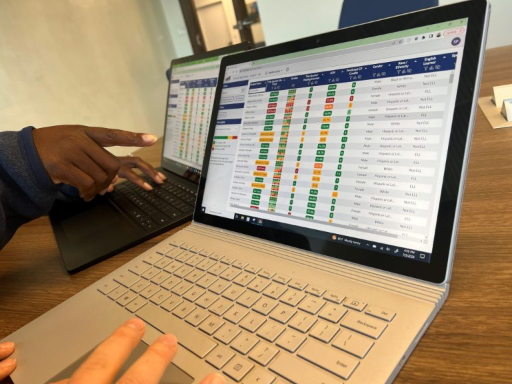
Survey (34 teachers and principals, full digital team)
The survey validated interview findings at scale and surfaced priority rankings for features and information types. Three things came through clearly: educators wanted a fast summary view on login (not a full dashboard), they needed to track a small set of critical metrics above everything else, and sharing information with colleagues was far more important than the platform had accounted for.
"Typically on a daily basis I just want to see what's most important / urgent for me: which kids I have 1:1s with and which kids need help right now"
Shadowing & Diary Study
I shadowed 2 teachers and all 3 developers over multiple sessions. The most significant finding came from watching teachers in context: a single student could have 5 different teachers or mentors across subjects and support sessions. But there was no efficient way to share a view or report with a colleague. Each teacher was building their own picture of the same student independently, duplicating effort and risking inconsistent interventions. This shaped one of the most impactful features we designed and built: saved custom views with colleague sharing.
Strategy & Design Principles
Research pointed to three principles that had to underpin the design system and every component built on top of it.
Accessibility as Foundation, Not Afterthought
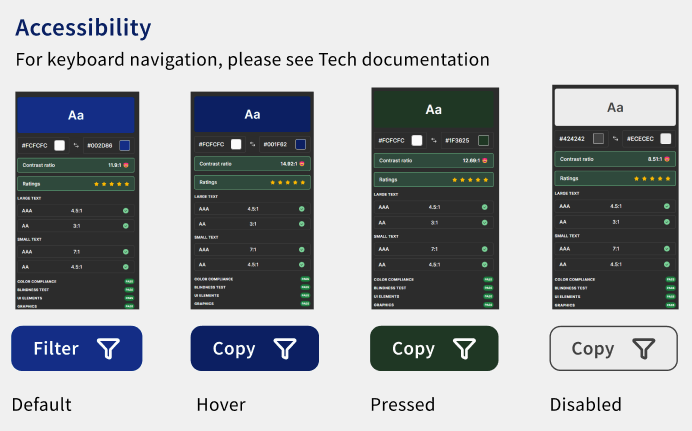
The platform served educators working across a range of contexts and abilities. WCAG 2.1 AA compliance couldn't be bolted on at the end: it had to be encoded into the token layer so every component inherited it by default. Colour contrast ratios, focus states, touch targets, and semantic structure were defined at the design variable level, not component by component.
Data Clarity Over Data Density
The temptation in data-heavy SaaS is to show everything. Research told us educators needed the opposite: a fast read of what matters, with the ability to go deeper when required. Every component decision was filtered through this: what's the minimum a user needs to see to take action, and how do we make the path to more detail frictionless?
Built for a Team Without a Designer
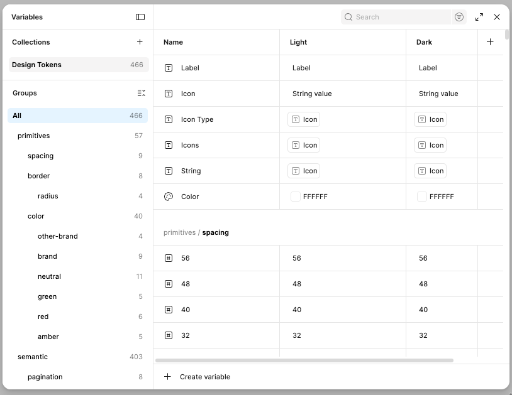
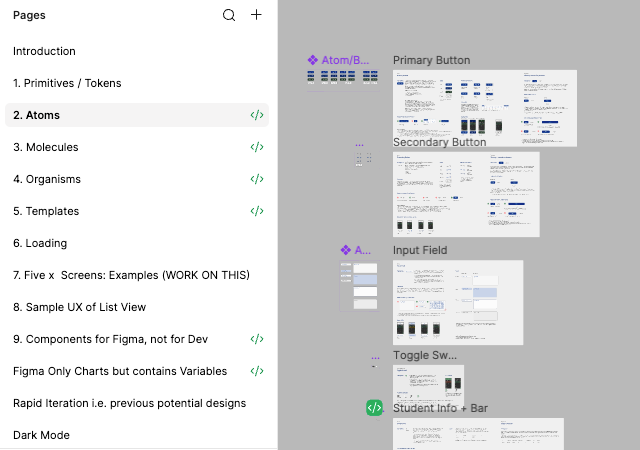
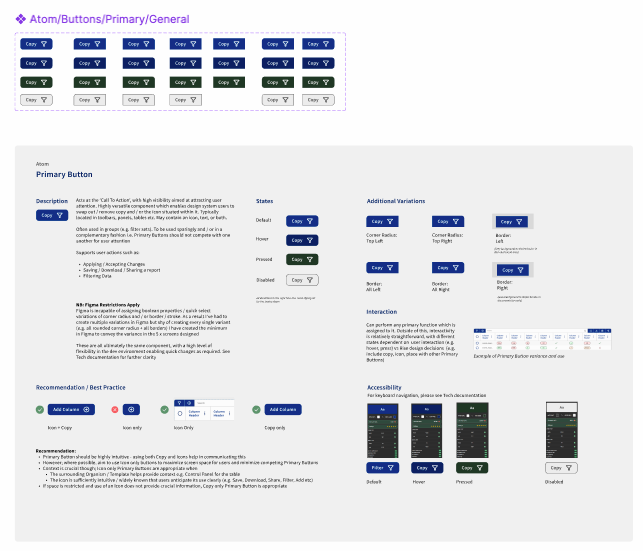
The system had to be robust enough to survive without me. That meant Atomic Design methodology with rigorous tokenisation: 480+ design variables covering colour, spacing, typography, elevation, and state: so developers could build new features confidently within the system without making ad hoc decisions.
Design & Prototyping
The Table Problem
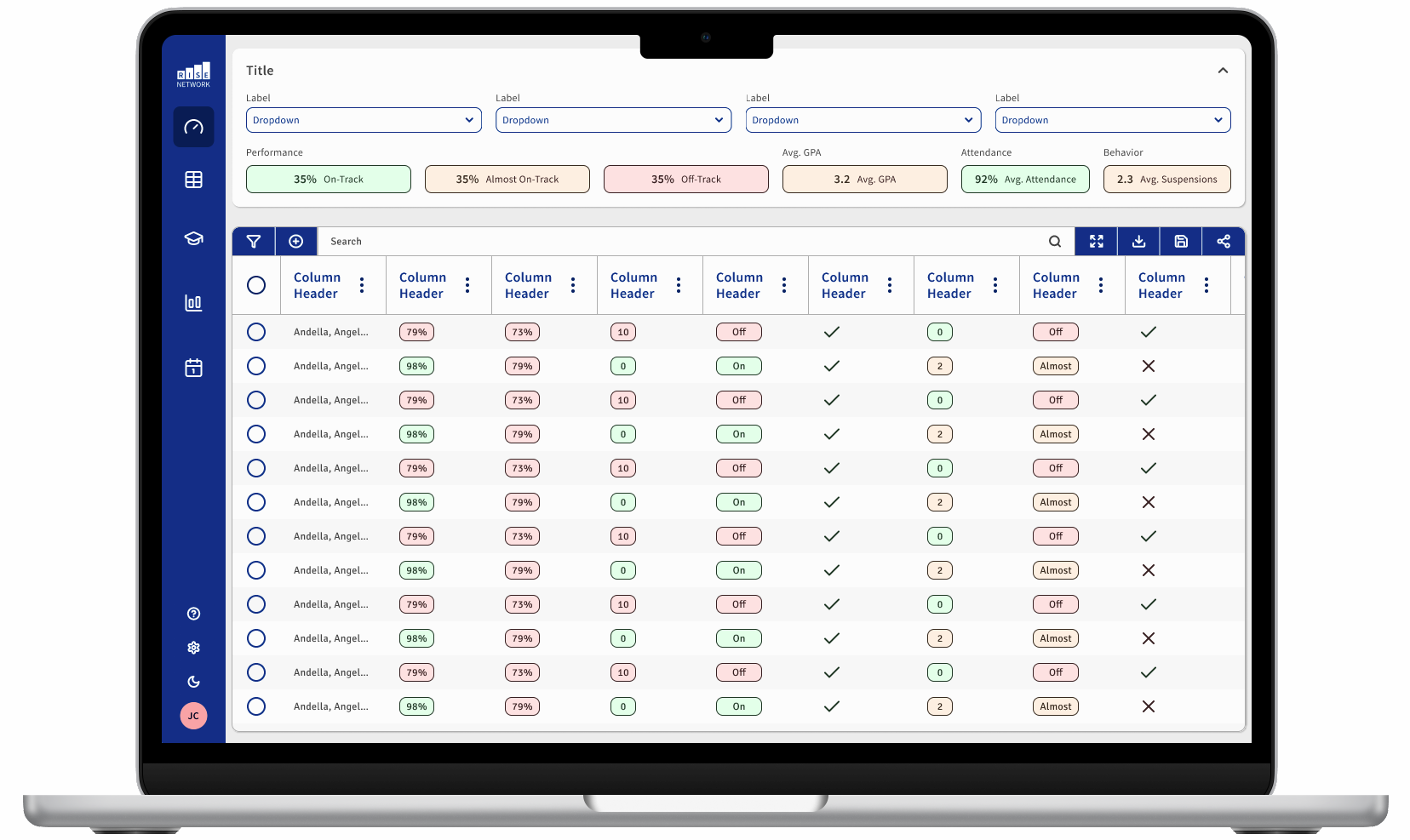
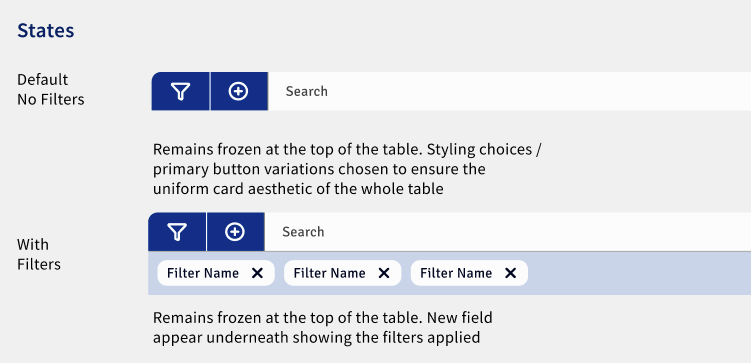
The most complex design challenge was the data table. Educators needed to see student performance across multiple metrics simultaneously, but the existing tables were overwhelming: too many visible columns, no clear hierarchy, no way to focus on what was actionable. The solution combined three interventions: horizontal scrolling for extended column sets, collapsed rows as the default state with expansion on demand, and a consistent icon language to communicate performance status at a glance without relying on numbers alone. The result let a teacher scan a full cohort in seconds and identify which students needed intervention without reading a single data cell.
Saved Views & Colleague Sharing
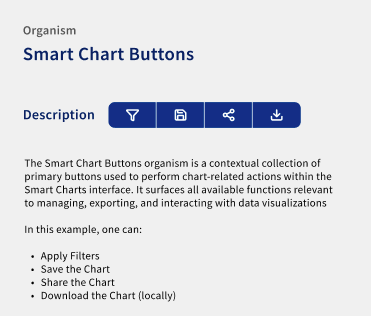
The shadowing research had revealed that teachers were spending significant time reconstructing the same picture of shared students independently. We designed a saved custom view feature: educators could configure a view for a specific student set, save it, and share it directly with colleagues who had the same students assigned. This wasn't in the original brief. It came directly from observation and became one of the most-used features post-launch.
Sprint Rhythm & Developer Collaboration
I worked in weekly sprints with the development team: Monday kickoff to align on the week's scope, Thursday design review to check implementation against spec, Friday client sign-off. Accessibility was checked at every Thursday review: not as a final audit but as a continuous part of the build process. This kept the compliance standard consistent across the 80+ components rather than requiring a retrospective fix pass at the end.
Validation & Iteration
I ran a System Usability Scale (SUS) study before the design system launched and again after 4 weeks of live use. The baseline score of 62 placed the platform in the "poor" band: users could operate it but with effort. The post-launch score of 83 moved it into "excellent", a 34% improvement that reflected both the improved consistency of the interface and the impact of the new features surfaced through research.
SUS score before: 62 (Poor)
SUS score after 4 weeks: 83 (Excellent)
The table redesign and the saved views feature generated the strongest qualitative feedback in post-launch interviews. Teachers specifically called out being able to share a configured view with a colleague as something that changed how they worked across the week, not just within the platform.
Accessibility Validation
Every component was tested for keyboard navigation and screen reader compatibility during the Thursday review cycle. The outcome was 100% WCAG 2.1 AA compliance across the full component library, achieved through manual testing discipline throughout the build rather than a retrospective audit.
Results & Impact
Measured 4 weeks after the design system went live:
Platform usability moved from "poor" to "excellent": a 34% improvement driven by consistent UI patterns and new educator-focused features.
Reduction in time to ship new features. Developers went from making design decisions from scratch to building on a documented, tokenised system.
Full compliance across 80+ components,: achieved through continuous testing, not a retrospective audit.
A token architecture that means the system can scale and evolve without introducing new inconsistencies or accessibility regressions.
"Being able to save a view and send it straight to a colleague who shares my students has saved me more time than anything else this year."
- Teacher, post-launch interview
What I Learned
The system had to work for developers as its primary users. Designing with that constraint from the start made adoption frictionless.
The saved views feature came entirely from watching teachers work, not from any survey response. The most impactful design decisions came from observation.
Encoding compliance into the token layer meant every component inherited it. Trying to retrofit accessibility at the end would have been slower and less reliable.
Showing less, structured well, drove better outcomes than showing everything. The table redesign proved that simplification requires more design rigour, not less.
Weekly kickoff, Thursday review, Friday sign-off kept the client engaged and gave the team a predictable cadence to build and check against spec consistently.
What I'd Do Differently
Earlier tokenisation workshops with developers: bringing the dev team into the variable naming and structure decisions from day one would have reduced some back-and-forth during implementation.
Broader research sample: the interview phase was limited to 5 teachers. A wider sample across different district types and seniority levels would have added depth, particularly for the administrator experience.